
App for Cloudflare® Pro

App for Cloudflare® Pro 1.9.2

  • Item seller Item seller Shawn
  • Featured

Token, Turnstile, Rules, etc.

gravnetic

New member
My first time setting this up, I am super stoked!
Very helpful in every way! Here are my notes for features I wish the plugin had. Please take all this as features I would like, not bugs or whatever.

API Token: Why is your token wanting access to my billing (read only)?

Copy Zone: Does this effect the DNS records?

Turnstile Widget: Creation of the turnstile used my site title. I would prefer to use my domain as the Turnstile Widget name in Cloudflare. I get a bit crazy with site titles sometimes for SEO.

Create Admin Access Policy
Is it possible to create a rule that allows anyone with a email of the account. For example I create all my clients cloudflare accounts. I add them as super admin. If I could create a rule that included all emails with the @domains.tld of CF Account users that would be slick!

Copy From: Does this effect dns records at all or it only settings???
Copy Cloudflare settings: This allows you to copy settings from a different Cloudflare zone to this zone.

R2 Storage
Migrate Media to R2 info

An option to duplicate local media to R2 is appealing. I did not migrate my media so I am not sure that this is not what is happening...maybe language to describe if media uploaded after enabled and previous media still exists on the local server wp-content folder.

Create R2 cache rule
Create a Cloudflare Cache Rule for the public subdomain that is optimized for WordPress.
This option is only available when you configure R2 storage, but not after. So if I chose not to create the cache rule, but then decided I wanted it after I migrated to R2 that is not an option.

Replace Media Cache Issues
I run into a cache issue when I use Replace Media. This is an option with a few plugins, but it basically allows users to replace a PDF, image, etc with an updated file without creating a new asset in the CMS.

Purge Cache
Add a custom meta field so I can rename 'Purge Cache' to 'Clear Cache' or even just 'Cache'. Clearing the cache actually scares the crap out of users, I have found. They think they are going to break their site. I like to label it 'Update Cache' which sounds friendlier to them.

How does Purge Cache effect my Varnish object cache? Is there a way to include this, the Super Clouflare plugin has an option to include many third party cache plugins and it appears to self-identify which are installed.
 
My first time setting this up, I am super stoked!
Very helpful in every way! Here are my notes for features I wish the plugin had. Please take all this as features I would like, not bugs or whatever.

API Token: Why is your token wanting access to my billing (read only)?
From: https://appforcf.com/threads/permissions-needed-for-app-for-cloudflare®.3/

Account.Billing: Read
This is used to determine if a zone is on a paid or free plan. When a site is using R2 for object storage, there's an additional optional setting that allows a site to use HMAC token authentication for a bucket (HMAC token authentication is not available on Cloudflare free plans), so the option to enable it is only presented to a site that is not on a free plan.

Copy Zone: Does this effect the DNS records?
It does not, it's only the main zone settings. (Imagine if that was a thing and people clicked and wiped out their DNS records... heh)

Turnstile Widget: Creation of the turnstile used my site title. I would prefer to use my domain as the Turnstile Widget name in Cloudflare. I get a bit crazy with site titles sometimes for SEO.
The widget name is informational, and only viewable in the Cloudflare dashboard. You can also edit the name to anything you want without issue with the "Edit" option on any widget:


Create Admin Access Policy
Is it possible to create a rule that allows anyone with a email of the account. For example I create all my clients cloudflare accounts. I add them as super admin. If I could create a rule that included all emails with the @domains.tld of CF Account users that would be slick!
Would you really want that? You would be granting users access to your WordPress admin area who aren't actually admins on your WordPress installation. Imagine Cloudflare account with a zillion zones as well as a zillion users within Cloudflare... would you really want to be granting everyone access to every WordPress admin area across all zones?

Maybe I'm not understanding exactly, but logically it seems like the way it works now (where WordPress admins are granted access to that specific WordPress site they are an admin on).

Copy From: Does this effect dns records at all or it only settings???
Copy Cloudflare settings: This allows you to copy settings from a different Cloudflare zone to this zone.
See above (I assume you are talking about the same thing as "Copy Zone")?

R2 Storage
Migrate Media to R2 info

An option to duplicate local media to R2 is appealing. I did not migrate my media so I am not sure that this is not what is happening...maybe language to describe if media uploaded after enabled and previous media still exists on the local server wp-content folder.
Media items are individually flagged as being in R2 or not. You can move individual items after someone sets up R2 my clicking on the item (there's an option to move it to R2 or from R2 back to local) if someone didn't want to move everything with the mass migration tool.

There's an orange cloud for to give a quick visual if a media item is in R2 or not. You can also click on any items to get extra info (if it's in R2, what type of R2 bucket it's in, etc.)

Create R2 cache rule
Create a Cloudflare Cache Rule for the public subdomain that is optimized for WordPress.
This option is only available when you configure R2 storage, but not after. So if I chose not to create the cache rule, but then decided I wanted it after I migrated to R2 that is not an option.
What kind of cache rule are you looking for that's optimized for WordPress? On the Rules page (under Cache Rules), there is already an option to create a cache rule for static content. But not sure what else someone would really want beyond that...

Replace Media Cache Issues
I run into a cache issue when I use Replace Media. This is an option with a few plugins, but it basically allows users to replace a PDF, image, etc with an updated file without creating a new asset in the CMS.
Where are you seeing "Replace Media" exactly? I poked around everywhere I can think of, and I don't see any "Replace Media" option in WordPress. If it's a third-party plugin, they should probably be calling cache purge hooks made available to them. However... that's only going to purge cache for *new* users seeing the media. It's not going to remove cached items from user's browsers that have already seen it. There's really not a great way to handle that scenario without completely revamping how WordPress presents media and using a cache-breaking URL for them (that's really something that would need to come from WordPress core).

Purge Cache
Add a custom meta field so I can rename 'Purge Cache' to 'Clear Cache' or even just 'Cache'. Clearing the cache actually scares the crap out of users, I have found. They think they are going to break their site. I like to label it 'Update Cache' which sounds friendlier to them.
Except you aren't actually updating the cache, you are purging it. What scenario are you wanting users to purge the cache? Normally it's all handled internally for normal use (things like editing posts)... a full cache purge is normally for developers doing things like working on templates or something.

That being said, there's certainly nothing preventing you from using WordPress' translation system... you could just translate "Purge Cache" into "Update Cache" if you really wanted to...

How does Purge Cache effect my Varnish object cache? Is there a way to include this, the Super Clouflare plugin has an option to include many third party cache plugins and it appears to self-identify which are installed.
Well, an object cache wouldn't need to be purged, but if you mean a page cache, you may want to benchmark with and without it... I've yet to seen a case where a cache for a cache makes things faster (only slower because you are doing more to generate pages now).

That being said, it also wouldn't be terribly difficult to trigger a third-party plugin's purge action if they make it available. What plugin are you using?
 
I am adding additional descriptions as my original post is confusing. This is insanely helpful! I appreciate it!

Account.Billing: Read - very cool that this level of detail is included.

Create Admin Access Policy - I read the details again, adding a policy for each admin works perfectly.
Is it possible to include a cron job that updates if a new admin is created?

Create R2 cache rule
What I was trying to describe is that when I initially enabled the R2 setting I did not check the create cache rule. Then it is not available as an option after enabling R2 because it is within the create R2 dialog. So I am saying it is not an option to create the R2 rule after creating the bucket setting if I chose to not check it at first and then change my mind.

Replace Media Cache Issues
This is available in several media library plugins such as the Smush plugin. I'll follow up with their developers.

Purge Cache
I was refering to the object cache not a page cache; I use Spinup, their cache regex is ?spinupwp_action=purge-object&_wpnonce=xxxxxxxxx

NEW
Managed Rules (previous version)

What does the title (previous version) refer too?

Included A WAFF Rule Generator I use
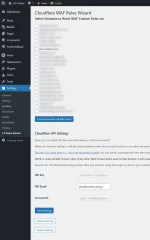
I have included the plugin I use to create WAF rules, using Troy Clancy defined rules from here. This is installed on my WP install. I define the client API token, and then I can select a website from that token access and write the rules to the CF WAF. It is super quick and helpful..
 

Attachments

Last edited:
I am adding additional descriptions as my original post is confusing. This is insanely helpful! I appreciate it!

Account.Billing: Read - very cool that this level of detail is included.

Create Admin Access Policy - I read the details again, adding a policy for each admin works perfectly.
Is it possible to include a cron job that updates if a new admin is created?
To be honest, I'm not sure there's a particularly "clean" way to do it. There's a couple issues:
  • Not everyone uses the same email address for their WordPress admin user that they use to authenticate in Access (for example it's pretty common for people to use webmaster@yoursite.com for their admin account, but then when using something like your Google account to authenticate in Access, it's going to be the email of your.name123@gmail.com). This is still an issue for the initial Access setup, but we end up just treating it as a baseline setup... someone can go into Access and edit the email that was originally setup for Access if needed. Automating this process on a recurring basis effectively would undo those changes that most people make over and over.
  • Internally, making changed to an Access policy invalidates existing sessions. Specifically, say you set it up so you only need to authenticate once every 30 days, now all admins would need to reauthenticate every time the cron ran. Personally, that seems more annoying than someone needing to manually click a button if they want to re-setup the Access policies with the current admins (if those change).

Create R2 cache rule
What I was trying to describe is that when I initially enabled the R2 setting I did not check the create cache rule. Then it is not available as an option after enabling R2 because it is within the create R2 dialog. So I am saying it is not an option to create the R2 rule after creating the bucket setting if I chose to not check it at first and then change my mind.
Ah... Will mull this one over. Adding it as an after-the-fact setup option might cause confusion for users, so it may cause more issues than it solves. I do try to keep things as clean as possible and not overload people with unnecessary options. That being said, you can safely disable R2, and then re-enable it real quick to get the option for the Cache Rule again (just pick the same existing bucket from the dropdown).

Replace Media Cache Issues
This is available in several media library plugins such as the Smush plugin. I'll follow up with their developers.
I had an idea about this today. I haven't yet has a chance to see if my idea would be viable or not though (still need to see how much data WordPress core gives you internally for something). But *possibly* may have a solution that works regardless of how media is changed (maybe... need to check some things still).

Purge Cache
I was refering to the object cache not a page cache; I use Spinup, their cache regex is ?spinupwp_action=purge-object&_wpnonce=xxxxxxxxx
I guess I'm not really clear what the ask is here... there is no object cache in this plugin. WordPress object caching is done by adding the wp-content/object-cache.php, and that's typically going to be something that exists on the origin server or on the origin server's local network with something like Redis or Memcached. There is no mechanism in this plugin that ever touches a WordPress object cache (other than it will be used internally by WordPress core for things like transients if one is setup).


NEW
Managed Rules (previous version)

What does the title (previous version) refer too?
In your Cloudflare dashboard, under [zone] -> Security -> Settings, there's an option, New application security dashboard. Disabling that will go back to the old (previous version settings). At some point as Cloudflare starts making it impossible to go back to the old version in their dashboard, the plugin will be updated to match what's available.

Included A WAFF Rule Generator I use
I have included the plugin I use to create WAF rules, using Troy Clancy defined rules from here. This is installed on my WP install. I define the client API token, and then I can select a website from that token access and write the rules to the CF WAF. It is super quick and helpful..
Have had this idea a few times, but honestly the amount of work to replicate the rule builder in the Cloudflare dashboard is massive (and it's always changing with what things can/can't be used). Not sure there's enough benefit to warrant the amount of time/effort to build and then also constantly maintain new options Cloudflare rolls out (and those options are also changing all the time based on the zone plan). A more realistic option may be to add some WordPress filters/actions so a plugin could inject their own rules to be created or something (via expressions, still not a full expression builder UI). But there's really not a one-size fits all set of rules that should be applied to all sites (every site is different).
 
Replace Media Cache Issues
This is available in several media library plugins such as the Smush plugin. I'll follow up with their developers.
I had an idea about this today. I haven't yet has a chance to see if my idea would be viable or not though (still need to see how much data WordPress core gives you internally for something). But *possibly* may have a solution that works regardless of how media is changed (maybe... need to check some things still).
...so I poked around on this today and discovered that I forgot that the plugin is already handling it when using R2. Specifically, the URL of an image stored in R2 already has a cache-breaking mechanism appended to it, so if an image is updated (and specifically whatever is changing the image is updating the media's modified time), it should work magically.

This does only work for media stored in R2.
 
Purge Cache
I was refering to the object cache not a page cache; I use Spinup, their cache regex is ?spinupwp_action=purge-object&_wpnonce=xxxxxxxxx
I guess I'm not really clear what the ask is here...
I guess what I am going on about is that I would like to append additional cache clearing so there is a single button that clears the caches.
 
I guess I'm not really clear what the ask is here...
I guess what I am going on about is that I would like to append additional cache clearing so there is a single button that clears the caches.
I went ahead and added a more specific filter that anyone can hook into for the next version. The app_for_cf_purge_cache filter allows you to control if a Cloudflare cache purge actually happens when requested. Additionally, it allows you to hook into the action to run your own code at that point. Can be done "normally" via a different plugin, or this plugin also has the ability to leverage PHP closures in your config.php file (for those that want to run custom code without relying on a different plugin or theme). For example, this could go in your config.php file:

PHP:
$GLOBALS['app_for_cf_purge_cache'] = function($triggerCache) {
    // run some super cool PHP code here whenever the purge cache action happens...
    // echo 'Hello World!';

    return $triggerCache; // Changing this to false would cause the underlying Cloudflare purge cache API call to not fire.
};

Of course, it's better suited in the appropriate plugin that wants to piggyback the function with the appropriate PHP call in their plugin:
PHP:
add_filter('app_for_cf_purge_cache', [their callback function]);
 
Back
Top