
gravnetic
New member
My first time setting this up, I am super stoked!
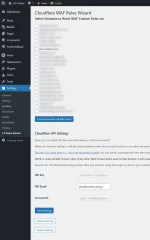
Very helpful in every way! Here are my notes for features I wish the plugin had. Please take all this as features I would like, not bugs or whatever.
API Token: Why is your token wanting access to my billing (read only)?
Copy Zone: Does this effect the DNS records?
Turnstile Widget: Creation of the turnstile used my site title. I would prefer to use my domain as the Turnstile Widget name in Cloudflare. I get a bit crazy with site titles sometimes for SEO.
Create Admin Access Policy
Is it possible to create a rule that allows anyone with a email of the account. For example I create all my clients cloudflare accounts. I add them as super admin. If I could create a rule that included all emails with the @domains.tld of CF Account users that would be slick!
Copy From: Does this effect dns records at all or it only settings???
Copy Cloudflare settings: This allows you to copy settings from a different Cloudflare zone to this zone.
R2 Storage
Migrate Media to R2 info
An option to duplicate local media to R2 is appealing. I did not migrate my media so I am not sure that this is not what is happening...maybe language to describe if media uploaded after enabled and previous media still exists on the local server wp-content folder.
Create R2 cache rule
Create a Cloudflare Cache Rule for the public subdomain that is optimized for WordPress.
This option is only available when you configure R2 storage, but not after. So if I chose not to create the cache rule, but then decided I wanted it after I migrated to R2 that is not an option.
Replace Media Cache Issues
I run into a cache issue when I use Replace Media. This is an option with a few plugins, but it basically allows users to replace a PDF, image, etc with an updated file without creating a new asset in the CMS.
Purge Cache
Add a custom meta field so I can rename 'Purge Cache' to 'Clear Cache' or even just 'Cache'. Clearing the cache actually scares the crap out of users, I have found. They think they are going to break their site. I like to label it 'Update Cache' which sounds friendlier to them.
How does Purge Cache effect my Varnish object cache? Is there a way to include this, the Super Clouflare plugin has an option to include many third party cache plugins and it appears to self-identify which are installed.
Very helpful in every way! Here are my notes for features I wish the plugin had. Please take all this as features I would like, not bugs or whatever.
API Token: Why is your token wanting access to my billing (read only)?
Copy Zone: Does this effect the DNS records?
Turnstile Widget: Creation of the turnstile used my site title. I would prefer to use my domain as the Turnstile Widget name in Cloudflare. I get a bit crazy with site titles sometimes for SEO.
Create Admin Access Policy
Is it possible to create a rule that allows anyone with a email of the account. For example I create all my clients cloudflare accounts. I add them as super admin. If I could create a rule that included all emails with the @domains.tld of CF Account users that would be slick!
Copy From: Does this effect dns records at all or it only settings???
Copy Cloudflare settings: This allows you to copy settings from a different Cloudflare zone to this zone.
R2 Storage
Migrate Media to R2 info
An option to duplicate local media to R2 is appealing. I did not migrate my media so I am not sure that this is not what is happening...maybe language to describe if media uploaded after enabled and previous media still exists on the local server wp-content folder.
Create R2 cache rule
Create a Cloudflare Cache Rule for the public subdomain that is optimized for WordPress.
This option is only available when you configure R2 storage, but not after. So if I chose not to create the cache rule, but then decided I wanted it after I migrated to R2 that is not an option.
Replace Media Cache Issues
I run into a cache issue when I use Replace Media. This is an option with a few plugins, but it basically allows users to replace a PDF, image, etc with an updated file without creating a new asset in the CMS.
Purge Cache
Add a custom meta field so I can rename 'Purge Cache' to 'Clear Cache' or even just 'Cache'. Clearing the cache actually scares the crap out of users, I have found. They think they are going to break their site. I like to label it 'Update Cache' which sounds friendlier to them.
How does Purge Cache effect my Varnish object cache? Is there a way to include this, the Super Clouflare plugin has an option to include many third party cache plugins and it appears to self-identify which are installed.