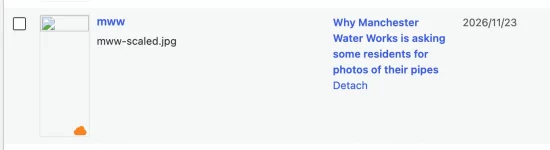
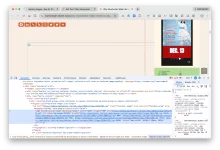
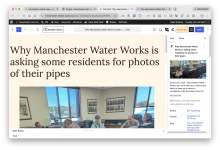
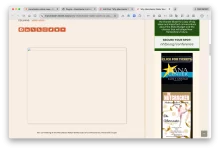
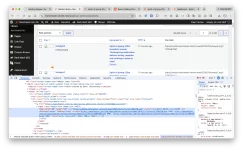
Looking at that particular example, whatever is generating the image in the post looks like it's doing it without triggering WordPress's srcset filter. Looking at the underlying HTML code, it's presenting the default <img> src propertly, but not any of the alternates (via srcset attroibutes):
HTML:
<img fetchpriority="high" decoding="async" width="1024" height="790" src="https://media.manchester.inklink.news/2026/11/mww-1024x790.jpg" alt="" class="wp-image-292195"
srcset="https://manchester.inklink.news/app/wp-content/uploads/2026/11/mww-1024x790.jpg 1024w,
https://manchester.inklink.news/app/wp-content/uploads/2026/11/mww-300x232.jpg 300w,
https://manchester.inklink.news/app/wp-content/uploads/2026/11/mww-768x593.jpg 768w,
https://manchester.inklink.news/app/wp-content/uploads/2026/11/mww-1536x1186.jpg 1536w,
https://manchester.inklink.news/app/wp-content/uploads/2026/11/mww-2048x1581.jpg 2048w" sizes="(max-width: 1024px) 100vw, 1024px">
srcset is what modern browsers use to pick a variation size that works for it (the browser).
It's not an issue that the image doesn't exist on R2, it's an issue with how the post is resolving URLs. For example, taking a random variation as presented via srcset:
https://manchester.inklink.news/app/wp-content/uploads/2026/11/mww-300x232.jpg (it's missing)
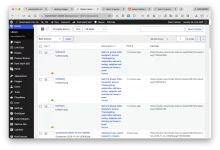
However, it exists on R2 in it's expected location here:
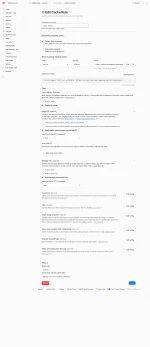
I'm guessing, it's something called Kadence Advanced Gallery Block?
Kadence (or whatever it is) should be using the
wp_calculate_image_srcset filter that is part of WordPress core whenever they are generating srcset URLs, which it appears they are not.
If it's not possible for them to correct it on their end, an alternate would be to automatically redirect an old URL to the new URL with Cloudflare redirects (this works best when everything has been moved to R2, otherwise you need to pick and choose individual URLs to redirect). You can find info on how to set that up here:
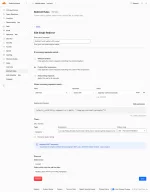
For sites that migrate existing media to R2, it makes sense in most cases to redirect the old URL to the new URL. You are able to do it easily with a single Cloudflare Redirect Rule (in your Cloudflare dashboard under
Rules -> Redirect Rules -> Create Rule) like so:
| Rule name | Redirect local media to R2 bucket |
| If... | Custom filter expression |
| When incoming requests match... | Field: URI Path
Operator: starts with
Value: /wp-content/uploads/ |
| Then... | Type: Dynamic... |
TL;DR: the "clean" way is to have the theme/plugin generating the srcset URLs to leverage the filter that's intended for that as part of WordPress core. The alternate is redirect the old URLs to the new.